SELECTED WORK / 06
Twenty apps.
One dying server.
Untangling two decades of technical debt and rebuilding the systems worth keeping.
Unsupported infrastructure.
Obsolete application code.
No straightforward migration path.
with existing solutions
rebuilt directly
with an external developer
The server was old.
The problem was bigger.
Twenty custom applications had accumulated over more than two decades. They still supported everyday hospital operations, but the infrastructure keeping them alive had reached the end of the road.
The applications ran on an aging server that was no longer supported and presented a significant security concern. Their obsolete programming language was incompatible with the replacement server environment, ruling out a straightforward migration.
The original developers were no longer with the organization. Some applications remained essential; others had become redundant or could potentially be replaced by existing enterprise software.
Simply rebuilding everything would have preserved years of accumulated complexity. The first challenge was determining what the organization actually needed to keep.
Before writing code,
we had to find out
what everything did.
I spearheaded the application evaluation, working with stakeholders throughout the health system to understand how each program was used and what should happen to it.
Identify the owners
Determine which departments depended on each application, who maintained its information, and who needed access.
Understand the dependencies
Review application functions, data sources, access restrictions, notifications and operational requirements.
Question the need
Establish whether each application was still necessary, whether an existing enterprise system could replace it, and whether any historical data needed to be retained.
Choose the right path
Retire, replace or rebuild each application according to its business requirements and the available development resources.
THE DECISION
Not everything
needed rebuilding.
Modernization meant preserving necessary business functions, not preserving every legacy application. Thirteen programs were retired or replaced with third-party solutions, reducing the amount of custom software the organization needed to maintain.
Seven applications.
A new foundation.
The seven applications that still required custom development were rebuilt in Sitefinity, the organization’s existing content-management platform.
DEVELOPED DIRECTLY
Applications I rebuilt
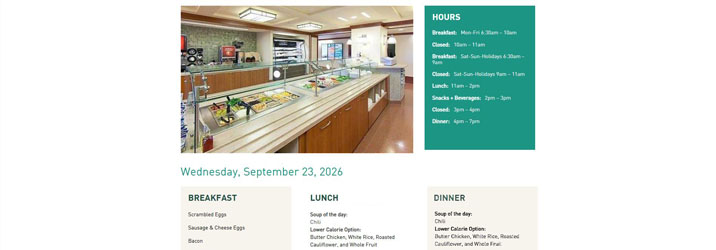
Cafeteria Menu
Rebuilt the cafeteria menu application within the new intranet environment.
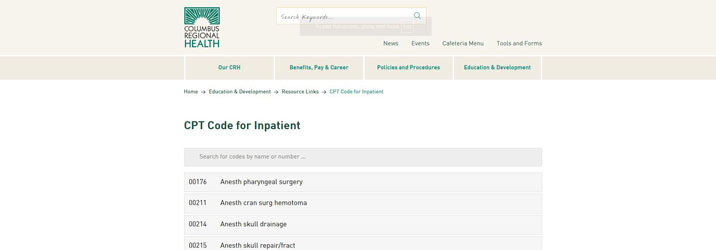
CPT Code Lookup
Rebuilt the CPT code lookup application for use within the new intranet environment.
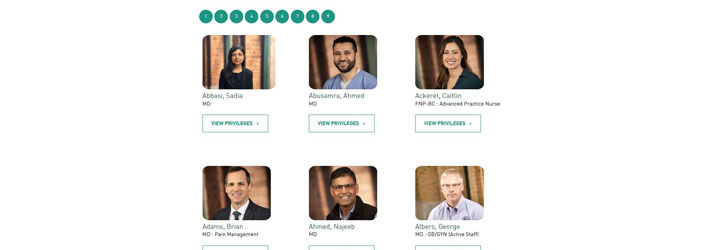
Provider Privileges
Rebuilt the provider privileges application to preserve a necessary Medical Staff function within the new environment.
COLLABORATIVE DEVELOPMENT
Applications delivered with a developer
Four additional applications were assigned to an external developer. I worked closely with the developer and internal stakeholders to deliver the replacement systems in Sitefinity.
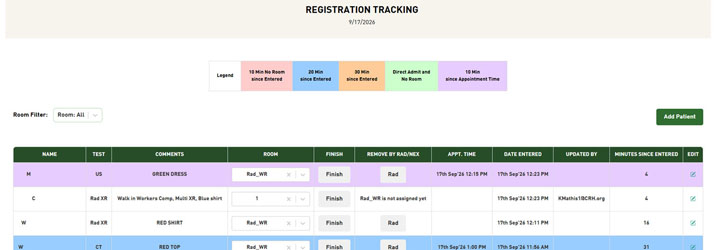
Registration Tracking
Supporting registration workflows used by Registration, Laboratory and Radiology.
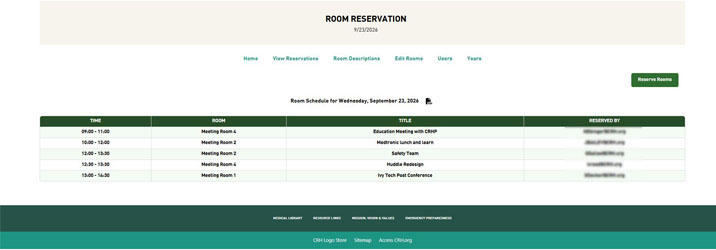
Room Reservations
Supporting the reservation of shared meeting and dining spaces.
Company Phone Directory
Providing an employee-facing directory within the new intranet environment.

Check Requisitions
Replacing the legacy check requisition application used for internal financial requests.

04 / THE OUTCOME
The old server
could finally
go dark.
With the necessary business functions transitioned to replacement applications or existing solutions, Information Services was able to retire the unsupported server.